

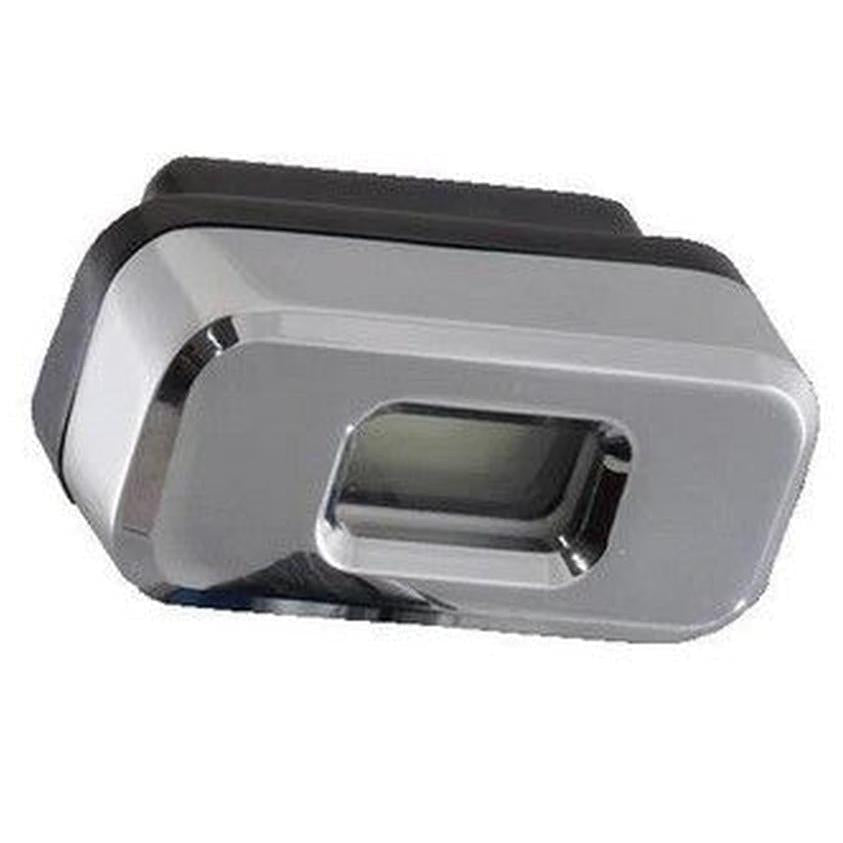
DGIPRO-505-BAR - DGI PRO digital pressure gauge DEVILBISS


Regular price
288,99€ excl. VAT
Sale price
288,99€ excl. VAT
-
In stock- Expected delivery on


 An emergency? Call us at +33 (0)1 48 17 05 19

100% secure payment
Payment methods
Couldn't load pickup availability

Technical specifications Devilbiss DGI PRO Pressure Gauge
- Spare part reference: 704426
- Manufacturer reference : DGIPRO-505-BAR
- Brand : Devilbiss
- Type : Digital pressure gauge for input pressure
- Compatibility : GTI Pro Lite and DV1 guns
- Display : Precise digital in bar
Properties and benefits
- Precise control : Digital display for fine air pressure adjustment
- Professional use : Ensures constant and controlled atomization
- Simple installation : Attaches directly to the gun handle
- Reliability : Robust equipment designed for intensive use in the booth
Recommended applications
- Pressure adjustment : Suitable for all finishing work in bodywork
- Quality assurance : Maintaining constant spray parameters
Instructions for use
- Attach the pressure gauge to the gun inlet (GTI Pro Lite or DV1)
- Turn on the screen to read the pressure
- Adjust the input pressure according to the specifications of the applied product
- Turn off after use to preserve the battery
Non-contractual photo

Technical Specifications

Technical Specifications
Technical specifications Devilbiss DGI PRO Pressure Gauge
- Spare part reference: 704426
- Manufacturer reference : DGIPRO-505-BAR
- Brand : Devilbiss
- Type : Digital pressure gauge for input pressure
- Compatibility : GTI Pro Lite and DV1 guns
- Display : Precise digital in bar
Properties and benefits
- Precise control : Digital display for fine air pressure adjustment
- Professional use : Ensures constant and controlled atomization
- Simple installation : Attaches directly to the gun handle
- Reliability : Robust equipment designed for intensive use in the booth
Recommended applications
- Pressure adjustment : Suitable for all finishing work in bodywork
- Quality assurance : Maintaining constant spray parameters
Instructions for use
- Attach the pressure gauge to the gun inlet (GTI Pro Lite or DV1)
- Turn on the screen to read the pressure
- Adjust the input pressure according to the specifications of the applied product
- Turn off after use to preserve the battery
Non-contractual photo

Customer reviews

Customer reviews

Our New Products

Regular price
38,99€ excl. VAT
Sale price
38,99€ excl. VAT
In stock
Choose your option

Regular price
135,90€ excl. VAT
Sale price
135,90€ excl. VAT
In stock
Choose your option

Regular price
38,99€ excl. VAT
Sale price
38,99€ excl. VAT
In stock
Choose your option

Regular price
56,50€ excl. VAT
Sale price
56,50€ excl. VAT
In stock
Choose your option

Regular price
187,99€ excl. VAT
Sale price
187,99€ excl. VAT
In stock
Choose your option

Regular price
56,50€ excl. VAT
Sale price
56,50€ excl. VAT
In stock
Choose your option

Regular price
147,50€ excl. VAT
Sale price
147,50€ excl. VAT
In stock
Choose your option

Regular price
147,50€ excl. VAT
Sale price
147,50€ excl. VAT
In stock
Choose your option
BODYSHOP NOTICE


